
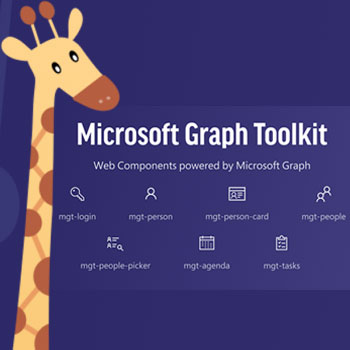
The Microsoft Graph Toolkit includes a collection of web components for the most commonly built experiences powered by Microsoft Graph APIs.
Automate Microsoft Graph Toolkit tasks using Wpintegrate

Request a Quote
[contact-form-7 id=”8527″ title=”Requirements Form”]



Why the best apps are better together.
Microsoft Graph Toolkit
The Microsoft Graph Toolkit includes a collection of web components for the most commonly built experiences powered by Microsoft Graph APIs.
Microsoft Graph Toolkit
The Microsoft Graph Toolkit includes a collection of web components for the most commonly built experiences powered by Microsoft Graph APIs.
Supported Triggers and Actions for Integration
1. Select a Trigger
No items found
2. Select a Action
-
mgt-login
A Login component is a button and flyout control to facilitate Microsoft identity platform authentication.
-
mgt-person
The person component also uses the mgt-person-card to display a flyout card with additional information about the user.
-
mgt-person-card
A Person-Card component is a responsive component to display more information related to a person.
-
mgt-people
You can use the mgt-people web component to display a group of people or contacts by using their photos or initials.
-
mgt-people-picker
You can use the mgt-people-picker web component to search for people and/or groups.
-
mgt-agenda
The mgt-agenda web component represents events in a user or group calendar.
-
mgt-tasks
The Tasks component enables the user to view, add, remove, complete, or edit tasks from Microsoft Planner.
-
mgt-get
You can use mgt-get to make any GET query from Microsoft Graph directly in your HTML.
-
mgt-todo
The To Do component is used to enable the signed-in user to view, add, remove, complete, and/or edit tasks from Microsoft To Do using the To Do API in Microsoft Graph.
-
mgt-teams-channel-picker
A you can use the mgt-teams-channel-picker component to enable searches for Microsoft Teams channels associated with a user.

December 31, 2020
Augmented reality (AR) adds digital elements to a live view often by using the camera…
December 31, 2020
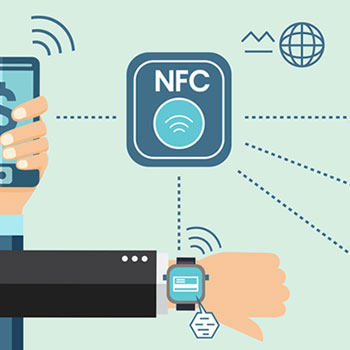
Near-field communication Near-field communication (NFC) is a short-range wireless technology that makes your smartphone, tablet,…


December 31, 2020
A barcode or bar code is a method of representing data in a visual, machine-readable…

December 31, 2020
December 31, 2020
Streamline repetitive tasks and paperless processes with Microsoft Power Automate—so you can focus your attention…
December 31, 2020
Progressive Web Apps A progressive web application is a type of application software delivered through…